Photo Album
Photo Album is a way to share digital photographs via the creation of personalized photo albums. You can add descriptions, upload images, and publish photos via an easy-to-use interface.
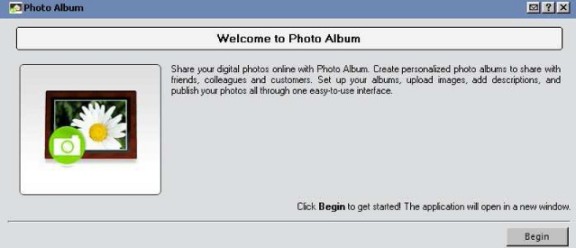
To get started, go to Build, then Photo Album. The first screen you will see is the one below:
The next screen you’ll see after that is the “Photo Albums” screen, where you can choose to work on an existing Photo Album or Create a New Album. The screen will look like the one below:
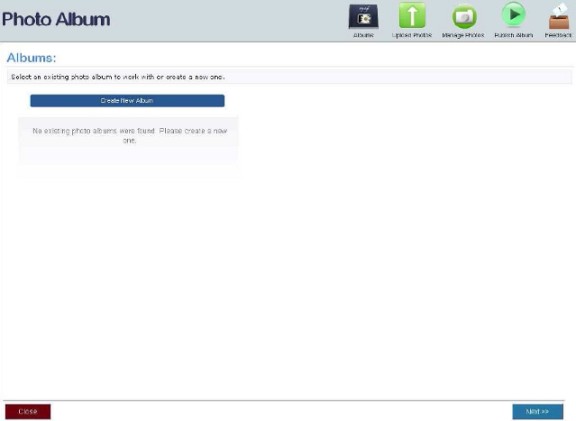
Most if not all of the next steps are controlled by the menu, as seen below:

- Album: enables you to create new albums and manages existing albums (i.e. uploading, deleting, publishing photos and albums).
- Upload Photos: allows you to upload photos to the web or FTP
 File Transfer Protocol (FTP) is a standard network protocol used to transfer files from one host to another host over a TCP-based network, such as the Internet. client.
 - Manage Photos: modify Photo Titles, Photo Descriptions, Image Tags and delete images.
- Publish Album: specified Photo Albums will be viewable online.
- Feedback: enables you to submit suggestions.
| Note: Any photo albums that you publish will be available for viewing at http://<domain name>/PhotoAlbum/WebAddressname. The Web Address Name will show when the Album is created. |