Buttons for Sharing on Social Networks
If you want to let your visitors easily share your content on social networks or online bookmarking services, you can insert a toolbar with buttons for sharing on Facebook, Twitter, Myspace, and other popular services.
To add the Share on Social Media toolbar to a webpage:
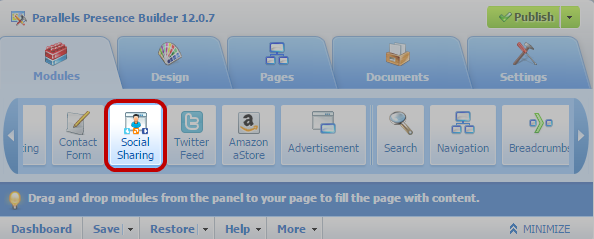
- Go to the Modules tab, select Social Sharing, and drag the module to the page.
- Select the appearance of the toolbar.
- If you want to modify the list of social networks and sharing services shown on the toolbar, place the mouse pointer over the icon [+] and click the Settings link.
The changes you make to the list of services will be visible after you publish the site.
- Click OK.
| Note: When someone shares your content on Twitter by using the Tweet button, the counter of tweets is not increased immediately. It can take several hours for the counter to update. |
To remove the Social Media toolbar:
Place the mouse pointer over the toolbar and click Remove.