Automated Let’s Encrypt DNS validation w/ simple-acme
When securing a website with an SSL/TLS certificate, domain validation is a critical step to prove ownership or control over the domain. One of the most secure and automation-friendly methods for this is DNS-based domain validation. This method involves creating specific DNS records that a Certificate Authority (CA) can query to verify domain ownership.
This article provides a step-by-step guide on how Webnames.ca’s REST API can help you automate certificate issuance via an ACME client and temporary modification of DNS TXT validation records on domains in your Webnames account. The instructions below explain two methods of achieving this using simple-acme. Simple-acme is a free, open-source, cross-platform, backwards-compatible fork of win-acme, which is no longer maintained.
Prerequisites
For either method, you will need:
- A server with simple-acme installed. These instructions were tested on version 2.3.4.1 (Windows, x64).
- A Webnames account with the Domain and Account Management toolkit enabled.
- An active registration with DNS Hosting on the root of the domain where you wish to provision the certificate. E.g. for the certificate CN
sub.example.ca, you would need the domainexample.caregistered and active in your Webnames account. - An API username and key via created via the Manage Users page. For these instructions, we will assume the username
webnamesuser_20250924154912_feebdaed.
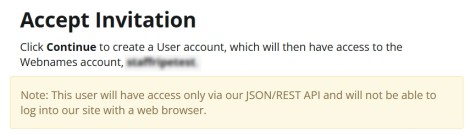
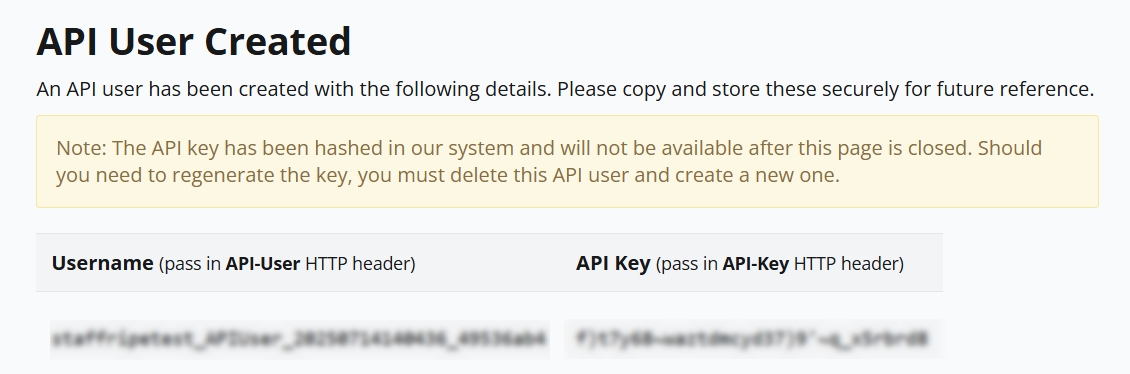
It is recommended to store the API key in the simple-acme secret vault and pass it as a replaced argument, e.g. {vault://json/WebnamesAPIKey}.
Plug-in method (recommended)
This method uses a plug-in developed by Webnames and accepted into the simple-acme repository.
Prerequisites
- For this method, you will need a copy of the Webnames DNS validation plugin from the simple-acme plugin repository. These instructions were tested on version 2.3.4.2084.
- For first-time installation, create a folder called plugins under the main simple-acme folder (the folder where the wacs.exe program resides) and extract the plugin .dll file into the plugins folder.
Command line
.\wacs.exe --validation Webnames --apiusername webnamesuser_20250924154912_feebdaed --apikey "vault://json/webnamesapikey" --validationmode dns-01 --host sub.example.ca --source manual --accepttos
External PowerShell script method (not recommended)
This method uses an external PowerShell script rather than the built-in Webnames plug-in to add and remove the DNS validation records. This method is not recommended unless you experience issues with the plug-in.
Prerequisites
For this method, you will also need:
- A copy of the Webnames DNS validation external PowerShell script from the simple-acme repository.
- Because the API key may contain special characters, it must be escaped before substitution into the external PowerShell script. To do this, store the key in the secret vault surrounded with double-quotes and escaped inline with backticks before any non-alphanumeric characters. E.g. the key odsifj30$49j4ggg_340fqivm9j should be stored in the secret vault as
"odsifj30`$49j4ggg_340fqivm9j"(including the quotes).
Command line
.\wacs.exe --accepttos --target manual --host sub.example.ca --validationmode dns-01 --validation script --dnsscript ".\Webnames.ps1" --dnscreatescriptarguments '-Action create -ZoneName {ZoneName} -RecordName {RecordName} -Token {Token} -APIUsername webnamesuser_20250924154912_feebdaed -APIKey {vault://json/WebnamesAPIKey}' --dnsdeletescriptarguments '-Action delete -ZoneName {ZoneName} -RecordName {RecordName} -Token {Token} -APIUsername webnamesuser_20250924154912_feebdaed -APIKey {vault://json/WebnamesAPIKey}'
Further reading
- Webnames OpenAPI specs and test harness: https://www.webnames.ca/_/swagger/index.html
- Simple-acme DNS script plugin docs: https://simple-acme.com/reference/plugins/validation/script