Automated Let’s Encrypt DNS validation w/ Certbot
When securing a website with an SSL/TLS certificate, domain validation is a critical step to prove ownership or control over the domain. One of the most secure and automation-friendly methods for this is DNS-based domain validation. This method involves creating specific DNS records that a Certificate Authority (CA) can query to verify domain ownership.
This article provides a step-by-step guide on how Webnames.ca’s REST API can help you automate certificate issuance via an ACME client and temporary modification of DNS TXT validation records on domains in your Webnames account. The instructions below explain how to achieve this using Certbot, a free, open-source ACME client for Linux environments.
Prerequisites
For either method, you will need:
- A Webnames account with the Domain and Account Management toolkit enabled.
- An active registration with DNS Hosting on the root of the domain where you wish to provision the certificate. E.g. for the certificate CN
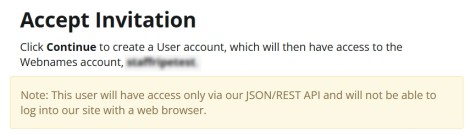
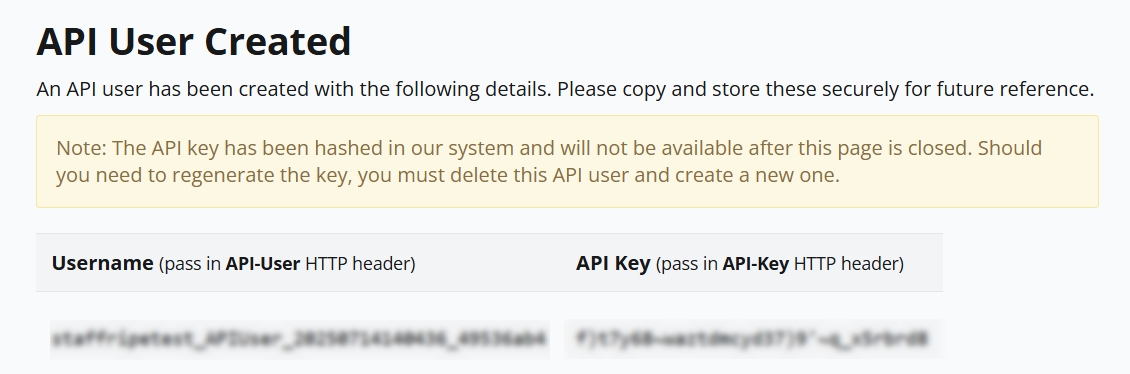
sub.example.ca, you would need the domainexample.caregistered and active in your Webnames account. - An API username and key via created via the Manage Users page. For these instructions, we will assume the username
webnamesuser_20250924154912_feebdaed.
- A server with Certbot installed. These instructions were tested on Oracle Linux 9.5 running via WSL2 and using snap to install Certbot:
Install snap and snapd package manager
sudo dnf install https://dl.fedoraproject.org/pub/epel/epel-release-latest-9.noarch.rpm
sudo dnf upgrade
sudo yum install snapd
- Ensure snapd is in the snap path:
sudo ln -s /var/lib/snapd/snap /snap
- If in a docker/container, ensure systemd is the default init system. For WSL, update your WSL version to at least 0.67.6 and enable systemd in your WSL distribution's settings by editing /etc/wsl.conf and adding:
[boot]
systemd=true
- Then restart WSL via wsl –shutdown.
- After restarting, ensure snapd is enabled, after which you may need to wait a minute or two for it to come online.
sudo systemctl enable --now snapd.socket
Install Certbot
sudo snap install --classic certbot
- Make sure certbot is in the sudo path:
sudo ln -s /snap/bin/certbot /usr/bin/certbot
- Download the Webnames DNS validation auth hook bash scripts from https://www.webnames.ca/downloads/webnames-certbot-auth-hook.zip and extract them both to an accessible directory on your server, then mark them executable:
sudo chmod +x webnames-certbot-auth-hook.sh
sudo chmod +x webnames-certbot-cleanup-hook.sh
Instructions
- Set environment variables to pass your Webnames API username and API key to the scripts. For example:
export WEBNAMES_API_USERNAME="webnamesuser_20250924154912_feebdaed"
export WEBNAMES_API_KEY="odsifj30$49j4ggg_340fqivm9j"
- Start the certificate order and validation:
sudo -E certbot certonly --manual --manual-auth-hook /path/to/the/webnames-certbot-auth-hook.sh --manual-cleanup-hook /path/to/the/webnames-certbot-cleanup-hook.sh --preferred-challenges dns -d "sub.example.ca"
Notes
- The -E switch for sudo ensures environment variables are passed in.
- You must update /path/to/the to the actual directory path where you downloaded the scripts.
- The DNS auth script includes a delay for DNS propagation, but you may need to wait longer or retry for certain resolvers.
Further reading
- Webnames OpenAPI specs and test harness: https://www.webnames.ca/_/swagger/index.html
- Certbot Pre and Post Validation Hooks: https://eff-certbot.readthedocs.io/en/stable/using.html#hooks