DNS Records During Registration or Transfer
To configure DNS records either during registration or transfer, add the Premium DNS Hosting package to your Order via the shopping cart, and then configure any applicable records.
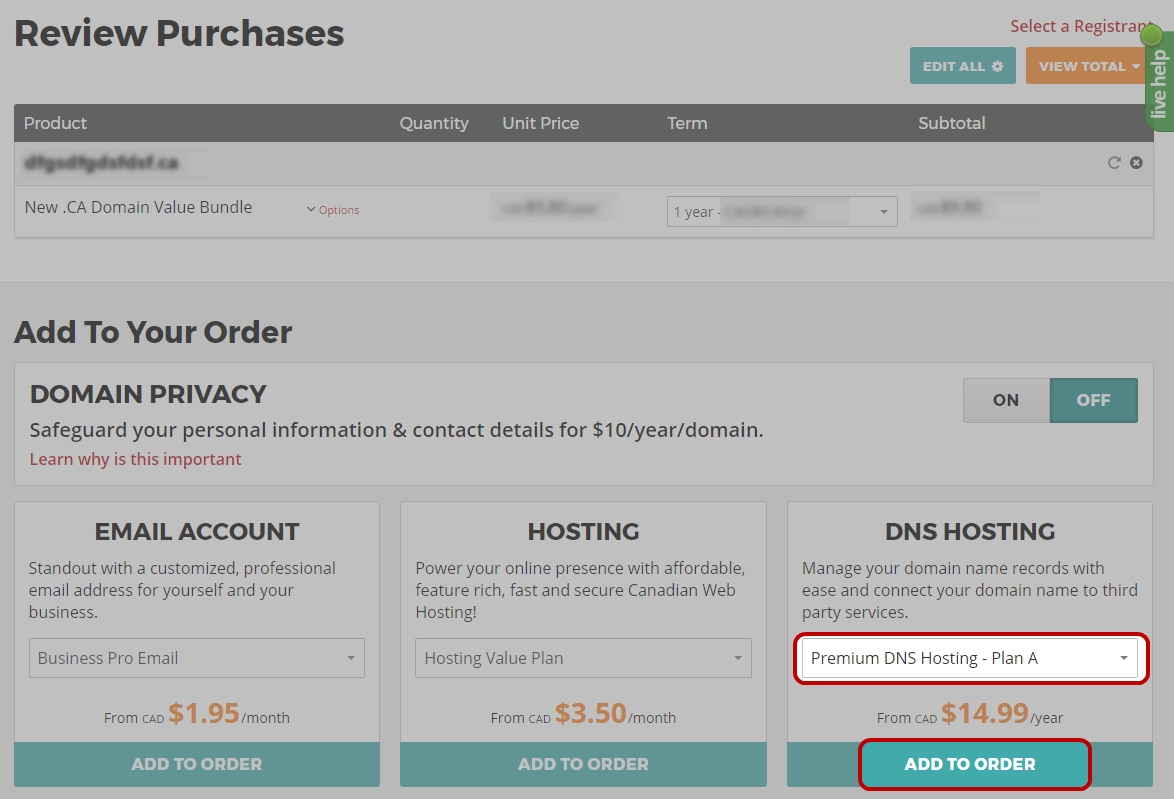
- Via the Shopping Cart, locate the DNS Hosting Add-on
- Toggle the package option to one of the available Premium DNS packages
- Click Add to Order
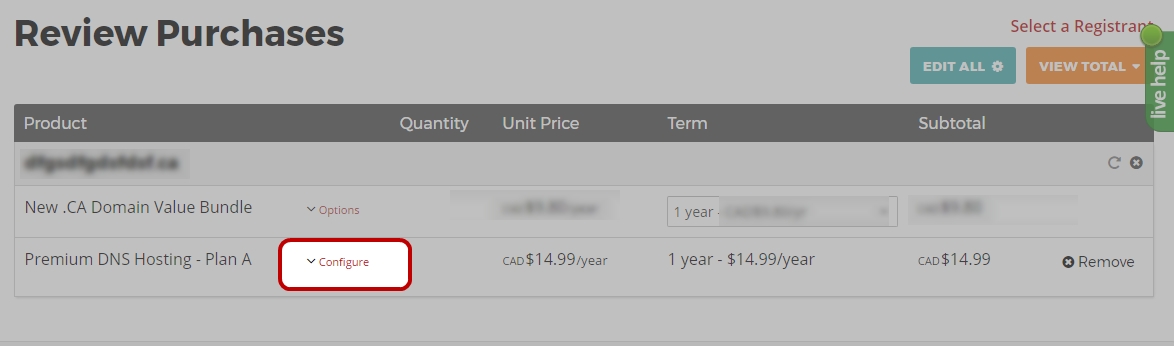
- Once the Premium DNS Hosting package has been added to your order, click the Configure link, then the Configure DNS button
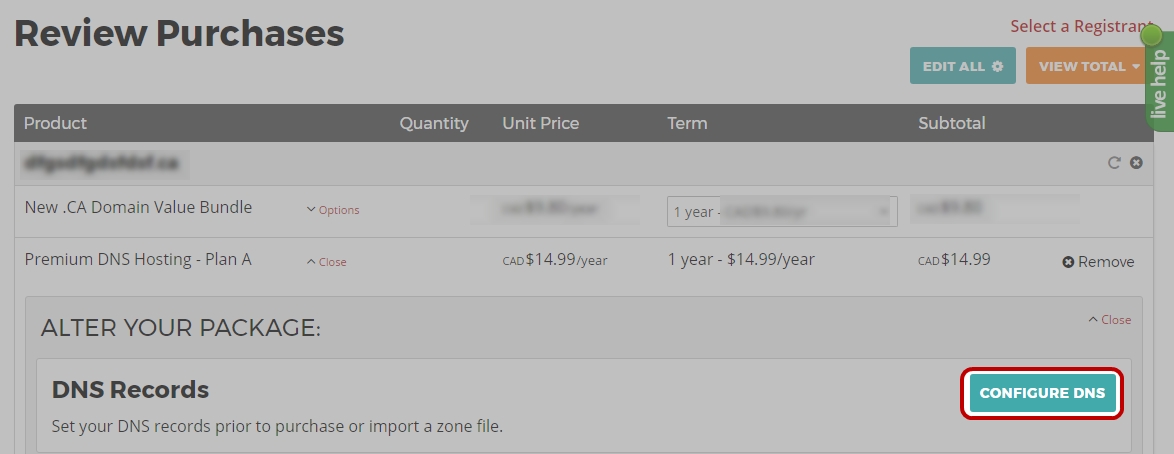
- Once the DNS Management interface is loaded, records can be manually created, or imported.
| NOTE: The creation of some of record types, as well as the activation of DNS Anycast must be completed after the registration or transfer has completed. In such case visit your Domain Management interface to complete these steps. |